
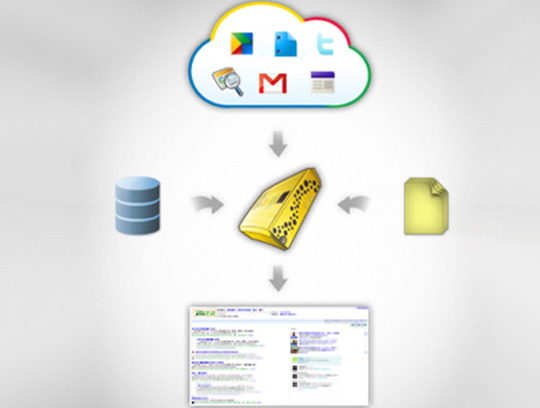
 Google released today an expanded version of Google Cloud Connect that improves the way Microsoft users use Google apps. It enables users of Microsoft office to transfer and share documents to the cloud. Google Cloud Connect Office is an MS Office integration tool that plugs into 2003/2007/2010 MS Word, MS Excel, and MS PPT, and is available to anyone with a Google account.
Google Cloud Connect Office is beneficial to any user or multiple of users that need to share, and simultaneously edit a document. The Cloud Connect Office allows easier collaboration between all employees within an organization, not only employees that already use Google Docs. The shared documents can be accessed from anywhere even through mobile devices.
How to get started:
1- Download the Google Cloud Connect plug in- you simply need to have a Gmail or Google Apps account. http://tools.google.com/dlpage/cloudconnect#utm_campaign=launch&utm_source=en-na-us-gdb-GCC-Appsperience_02242011&utm_medium=blog
2- Choose your settings as Automatic for document back up to the Cloud, or only when the Sync button is clicked. Then log in to your Google account from the plug in.
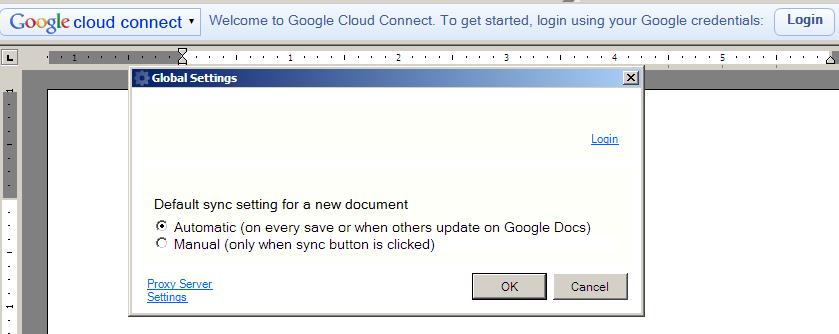
3- Start writing MS Excel/PPT or Word Document, save the document anywhere on your operating system(desktop, document folder, etc..), Once the document is saved, the Google Cloud Connect Office plug in toolbar gives you a URL that uniquely identifies the document, that can be shared by email or IM. Each time, the document is saved; a new version of the document is saved to the Cloud.
The Google Cloud Connect Office, will allow users to edit documents through Microsoft Office, once a user gets the shared URL, the user needs to download the document onto his Operating system (desktop, document folders, etc.), perform edits in Microsoft Office and sync through the Google Cloud Connect Office plug in. The Cloud Connect saves all versions of the document so it is easy to go back to different versions,
Share a view only option is available, and overlapping changes Cloud Connect gives the option to which changes to chose.
The Google Cloud Connect Office enables organizations to benefit from the Cloud without upgrading or purchasing new software.

how do you use google cloud connect on a mobile device